Microsoft Surface Pro 8 is a strong 2-in-1 with too many hidden fees | Mashable

Microsoft’s newest addition to the Surface lineup — the Surface Pro 8 — proves the old adage “you get what you pay for” sometimes needs additional context. In this case, be ready to drop a hefty chunk of change for this Windows 11 tablet itself and then another sizable chunk on top of that for the accessories that make it useful.

The $1,100 Surface Pro 8 is the latest and greatest Surface Pro yet, thanks to a larger 13-inch display with a higher refresh rate than ever at 120Hz, more powerful processors, better battery life, and the inclusion of Windows 11. There’s no getting around that this is an excellent Surface tablet, but Microsoft, once again, decided not to include the all-important keyboard cover attachment to make it usable as a work device. Artistically minded users will also need to cover another hidden fee for the new Slim Pen 2 stylus.

Read More

Why I Hate My Microsoft Surface Book 2 | Digital Trends

In addition to reporting about technology as dispassionately as we can, we technology writers are also technology consumers who spend our own hard-earned money just like everyone else. As a very personal example, I swiped my already-strained credit card for over $3,400 on a top-of-the-line 15-inch Surface Book 2.

Now I regret it.

Don’t misunderstand me: I love my Surface Book 2. It’s fast, innovative, and exudes quality. I love the display’s excellent contrast, high resolution, and lovely text — quite important for a writer. I love its battery life and its keyboard, and tearing off the tablet to flick through RSS feeds and watch video feels like the future.

Read More

Here’s what Samsung’s wacky folding phone looks like in action | TechCrunch

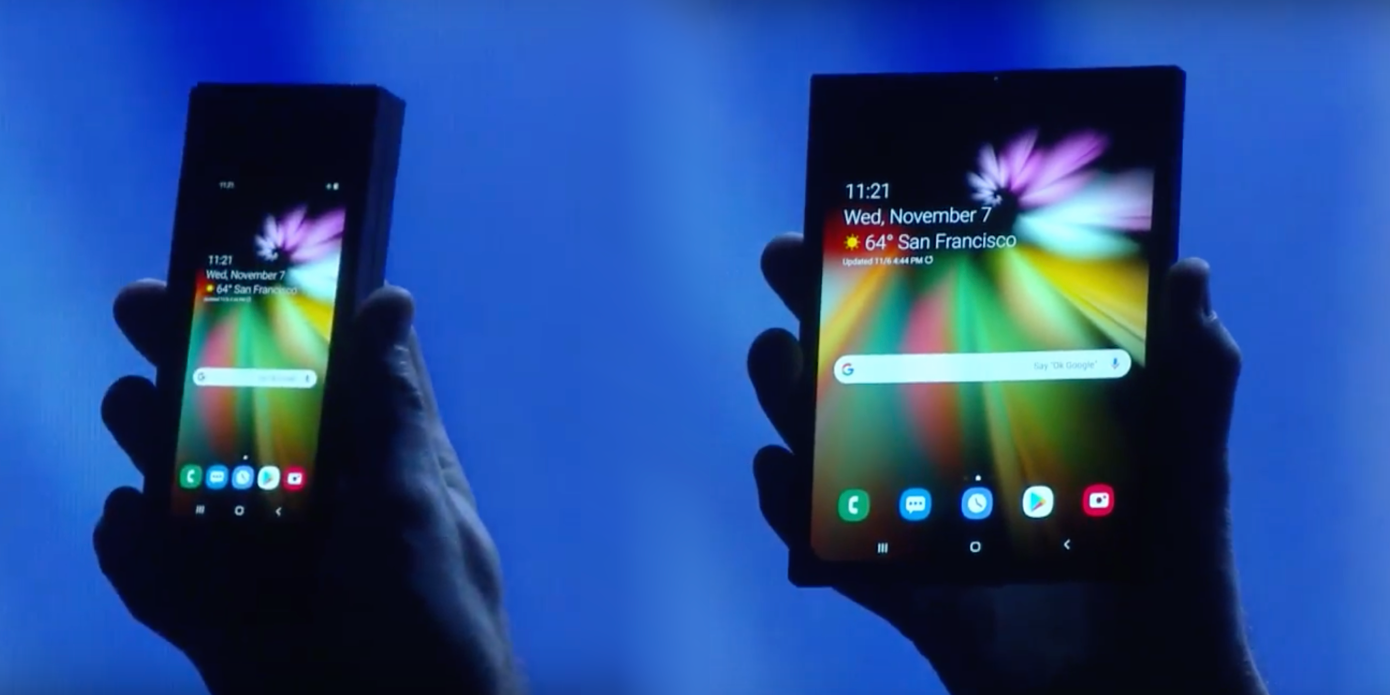
As rumored, Samsung showed off a prototype of a folding display today. Folded, it’s a smartphone. Unfolded, it’s a tablet. Neat!

Less neat: The company sort of went out of its way to not really show very much. A prototype was onstage for about 45 seconds, and it was deliberately backlit to be intensely silhouetted. They “disguised the elements of the design” to keep secret whatever secret sauce they have.

Finding that clip of the prototype folding/unfolding means digging through Samsung’s two-hour developer keynote, so we went ahead and GIF’d it up for you.

Read More

Best Small Tablets for Business 2014 and Why We Love Them |Business News Daily

Large tablets give you more screen space to work on, but they can really weigh you down on your daily commute. Fortunately, opting for a smaller tablet doesn’t mean you have to sacrifice power or great software features. There are tons of pint-size slates that offer zippy performance and features such as multi-window multitasking, stylus integration and even a fingerprint scanner for added security. Read on for a list of the best business tablets with displays smaller than 8.5 inches.

Read More.